Receipts, sorted.
Your trip. Any currency. One report.
It starts with a slip of paper.
Then it curls, fades, gets lost.
Not this time.
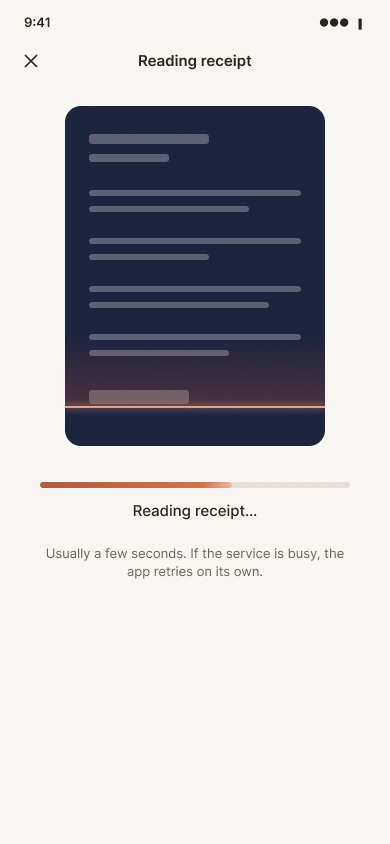
Snap it. The AI reads the rest.
You press Save. That’s it.
Any currency. Cash. Even no receipt.
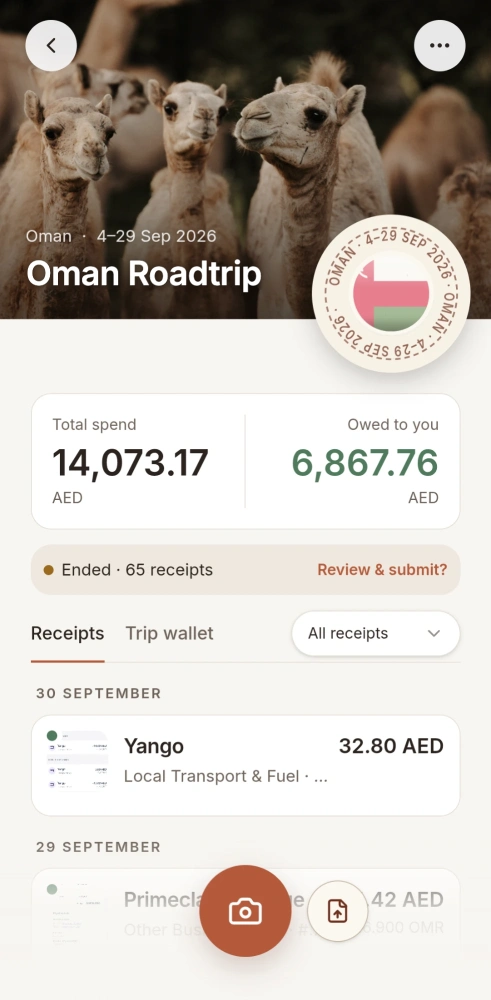
Your trip, one report.
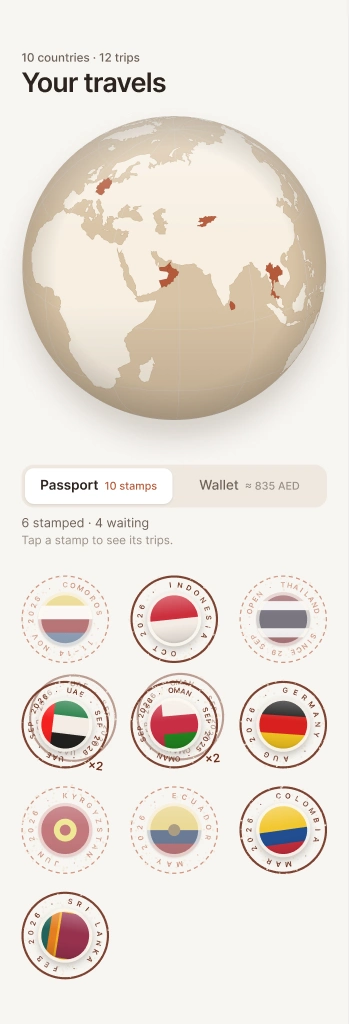
Every trip gets its stamp.
Trip closed.
Works with currencies from most countries
OMR, AED, IDR, USD, EUR, THB, JPY, GBP, KGS, MNT, INR, MAD
Everything a trip needs. Nothing it doesn't.
Snap it. The AI reads it.
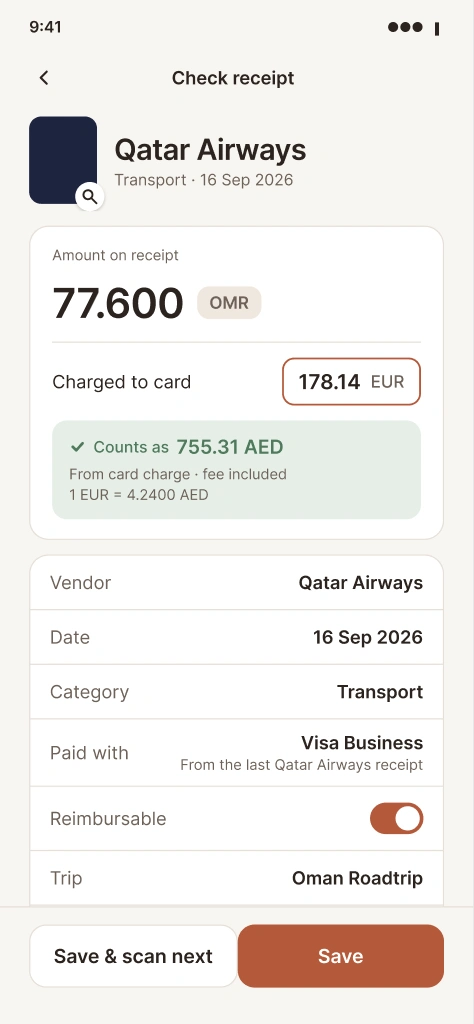
Photograph a receipt or upload a PDF. Vendor, date, amount and category fill themselves in, even from handwritten receipts. You check, and save.
Any currency, one total.
Every receipt in your home currency, with the rate and card charge shown.
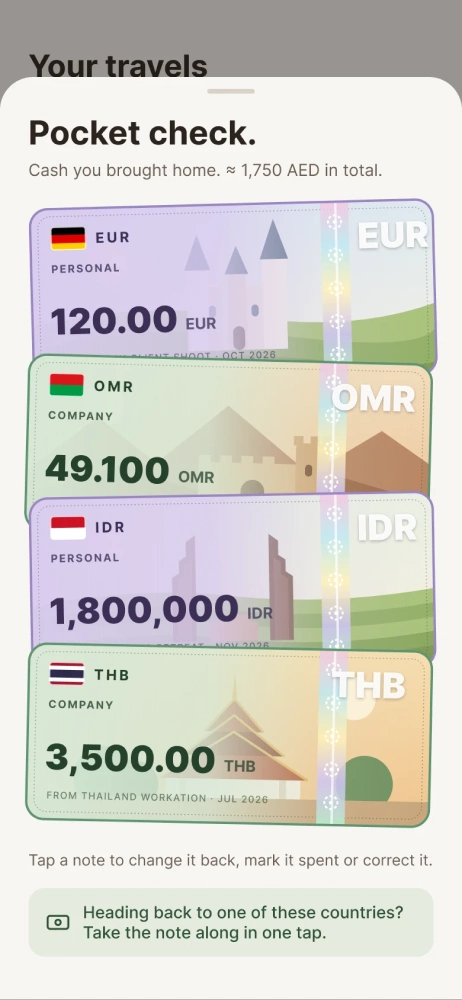
Cash counts too.
The wallet tracks the cash you carry. Tips and parking without a receipt get a self-made one.
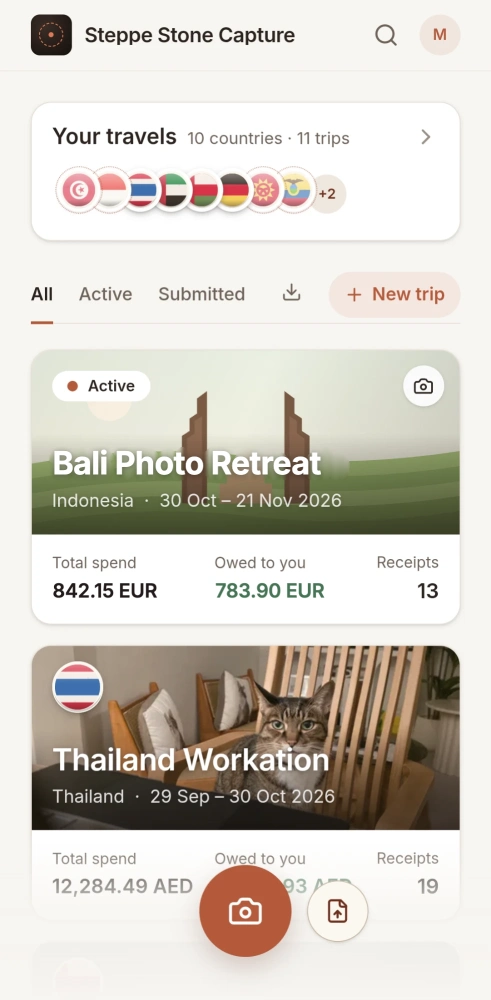
Make every trip yours.
Pick an illustrated cover or use your own photo. Even of your cat.
One report. One stamp.
Close the trip and you're done.
- PDF and spreadsheet, ready to submit
- Saved to your own Google Drive
- A stamp for every country you close
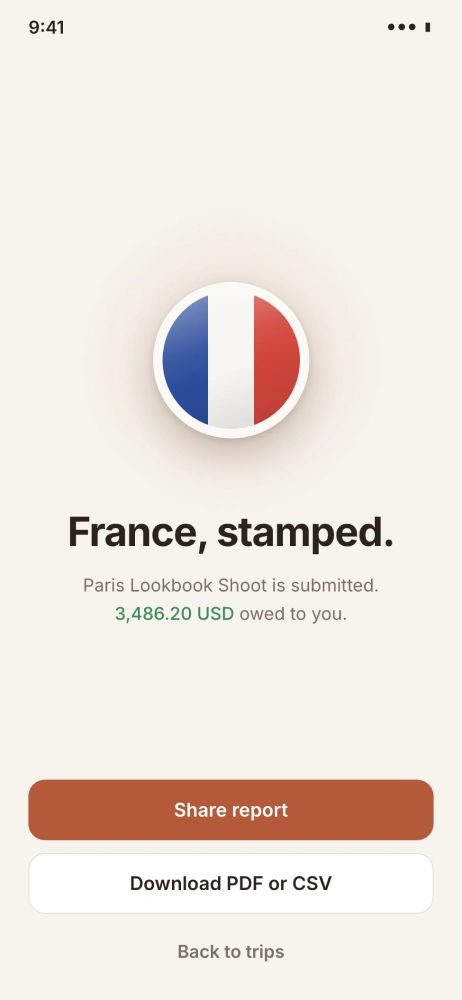
France, stamped.
Paris Lookbook Shoot is submitted.
3,486.20 USD owed to you
Share reportDownload PDF or CSV
FAQ
It's free while in beta. Pricing for later hasn't been set yet, and you'll hear from us well before anything changes.
The beta hasn't opened yet, and there's no fixed date. Join the waitlist and we'll invite you as soon as it does. Have an invite code? Then you're in straight away.
All widely used currencies from most countries. Receipts are read by AI and it's very accurate, even with handwritten receipts. If something can't be read, you add it by hand.
Yes, that's what it's built for. The report lists every expense with date, merchant and category, plus the amount actually charged to your card or converted at the day's rate, with all receipts attached. Self-made receipts depend on your company's policy, but they're usually accepted.
Not yet. For now, Capture is made for one person: you. We'd rather build the best tool for your own trips first, and we're learning from how you use it. Team members are on the way.
Yes. Pick any home country and currency, and change it whenever you like.
In your own Google Drive and Google Sheets, in your own account.
Yes. Your receipts and reports are stored in your own Google account.
You. Your receipts and reports are saved to your own Google Drive, and the app keeps secure copies of the images and reports so it can work. To read a receipt, the photo is sent to an AI service (OpenAI). We don't look at your files. We store your name, email and sign-up preferences securely to run and improve the service. We never sell your data or share it for marketing. The only services that handle it are the ones that run Capture, listed in the privacy policy.
Delete your account any time in Settings. Your trips, receipts, settings and the details read from them are removed from our database straight away. Stored files, your sign-in and our access to your Google account are removed right after, and backups are cleared within 90 days. Your own Google Drive files and Sheet stay yours.
Partly. You can scan and save receipts without a connection, and they wait on your phone. They upload once you're back online.
It's a web app, so there's nothing to download from an app store. Add it to your home screen and it opens like any other app. iPhone: open it in Safari, tap Share, then Add to Home Screen. Android: open it in Chrome, tap the ⋮ menu, then Add to Home screen or Install app.
Your next trip, sorted.
We're letting people in a few at a time. Answer a few quick questions about how you travel, leave your email, and we'll invite you when a spot opens.